| Objectives | Results |
|---|---|
| Objective Discover workflow | Result Mapped business processes and identified stakeholders |
| Objective Architect System | Result Planned around 4 key custom objects, with dozens of junction and child objects, and hundreds of fields |
| Objective Provide an exceptional user experience (UX) | Result Implemented screen flows, built custom Lightning Web Components, and tailored Visualforce pages |
| Objective Streamline processes through automation | Result Implemented record trigger flows and custom Apex triggers to automate repetitive tasks |
| Objective Improve conversion & accuracy | Result Faster, more accurate lead-to-quote handoff drove a 25% increase in quote-to-close conversion |
Overview
My client was a full-service contractor in sound masking, corporate furniture sales, and commercial sound baffling.
RH Contract sought to unify tracking and management of sales and project management, create a database for nurturing leads and opportunities, develop a new quoting system, connect installers with field service information, and automatically collect data throughout the business for insights and analytics.
I was brought in to understand and digitize complex business processes, define the system architecture, build the solution, and communicate it across technical and non-technical stakeholders.
The result was a platform that improved speed and accuracy across sales and quoting, contributing to a 25% increase in quote-to-close conversion.
Role
- Technology Consultant
- Systems Architect
- Salesforce Developer
- UX / Process Designer
Abstract / Background
RH Contract and Archoustics Mid-America are a contractor who represents dealers in furniture, soundmasking, and sound baffling. Each facet of the business has a similar basic structure, but with strong variance in their execution.
I approached the engagement as a systems problem rather than a Salesforce configuration exercise. I combined product design, UX, business strategy, IT, and data analysis to understand the organization, map its workflows, define the architecture, build an MVP, and iterate toward a scalable Salesforce platform.
To identify business needs, I primarily utilized empathy interviews, group meetings, and observational study. Through this research, I identified key stakeholders, capabilities, and priorities. RH Contract had bought into an existing Salesforce system which wasn't in a usable state, but provided a baseline for research.
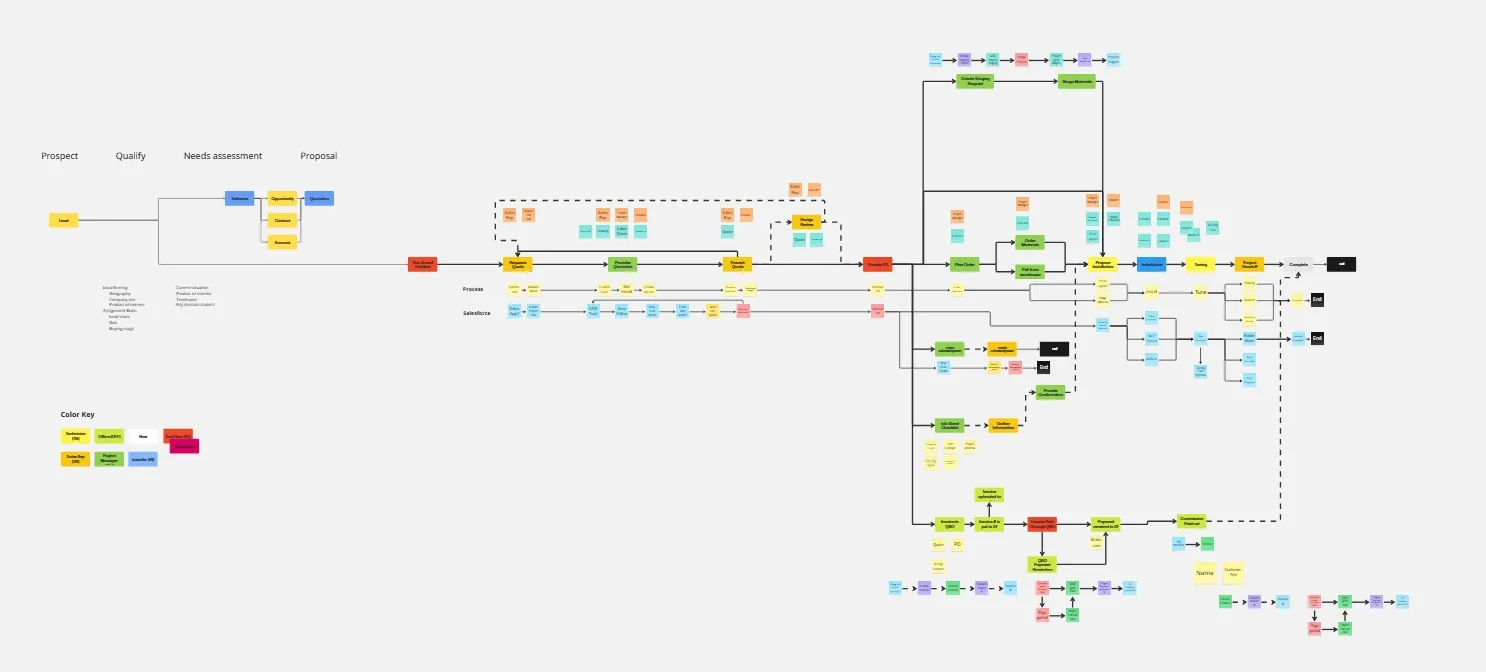
Using Miro, I process mapped the high level for the org, and multiple mid-level workflows for multiple stakeholders. At the high level, identifying stages, actions, required software, and relevant stakeholders clearly defined the requirements and opportunities in the Salesforce workflow.
Process
As a solo consultant for RH Contract, I was responsible for planning, designing, and implementing a fully customized Salesforce system tailored to their hybrid business model. My engagement began with immersive research to understand business goals and challenges through empathy interviews, stakeholder meetings, and field observation.
I first mapped the business pipeline with Miro, outlining the high-level organizational structure and mid-level processes for each stakeholder group. These workflows clarified key phases, actions, Salesforce integrations, and handoffs across departments. From this foundation, I was able to identify both process gaps and technical opportunities.
My role extended across business analysis, UX/process design, system architecture, Salesforce development, automation, and implementation. I worked iteratively: establishing core functionality, gathering feedback, and expanding the system while preserving scalability and maintainability.
Identifying & Solidifying Pain Points
RH Contract's inherited Salesforce instance was non-functional, making adoption impossible. Interviews and documentation revealed four main pain points:
1. Slow project tracking
Project management, installation, and accounting data were tracked through paper file folders.
2. Inefficient quoting
The project manager relied on outdated tools to generate quotes, often duplicating effort, with little flexibility.
3. No sales tracking tools
Sales representatives had no CRM, and relied on rudimentary tools to manually conduct business.
4. Couldn't utilize data
No automation with status updates, report generation, or monitoring dashboards — updates were performed manually.
To solidify the scope, I reframed these problems into functional objectives. This ensured that each design and automation decision addressed a real business need, not just a theoretical improvement.
"We've seen a significant improvement in our ability to accurately track and manage projects at scale while reducing errors. Our operational velocity and direction has truly been elevated."
— Alex Strubel, Project Manager
Core Capabilities & Journey Mapping
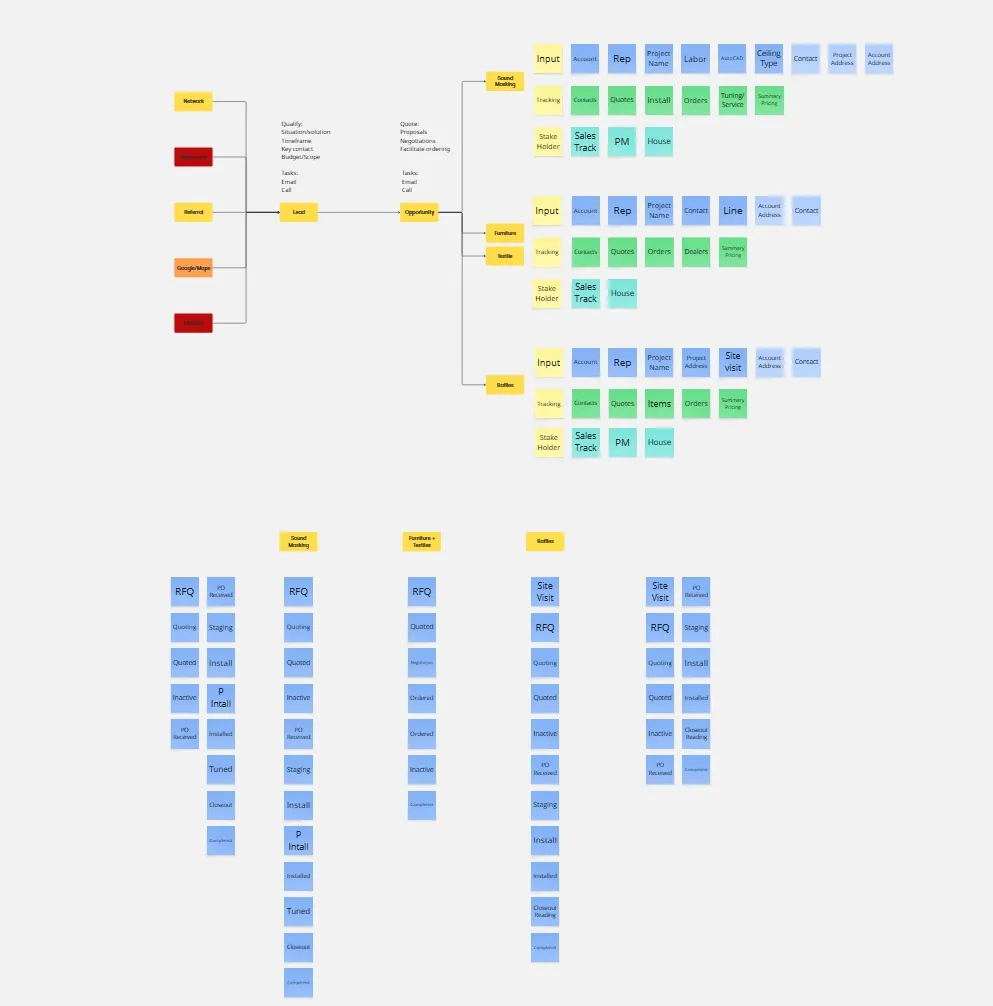
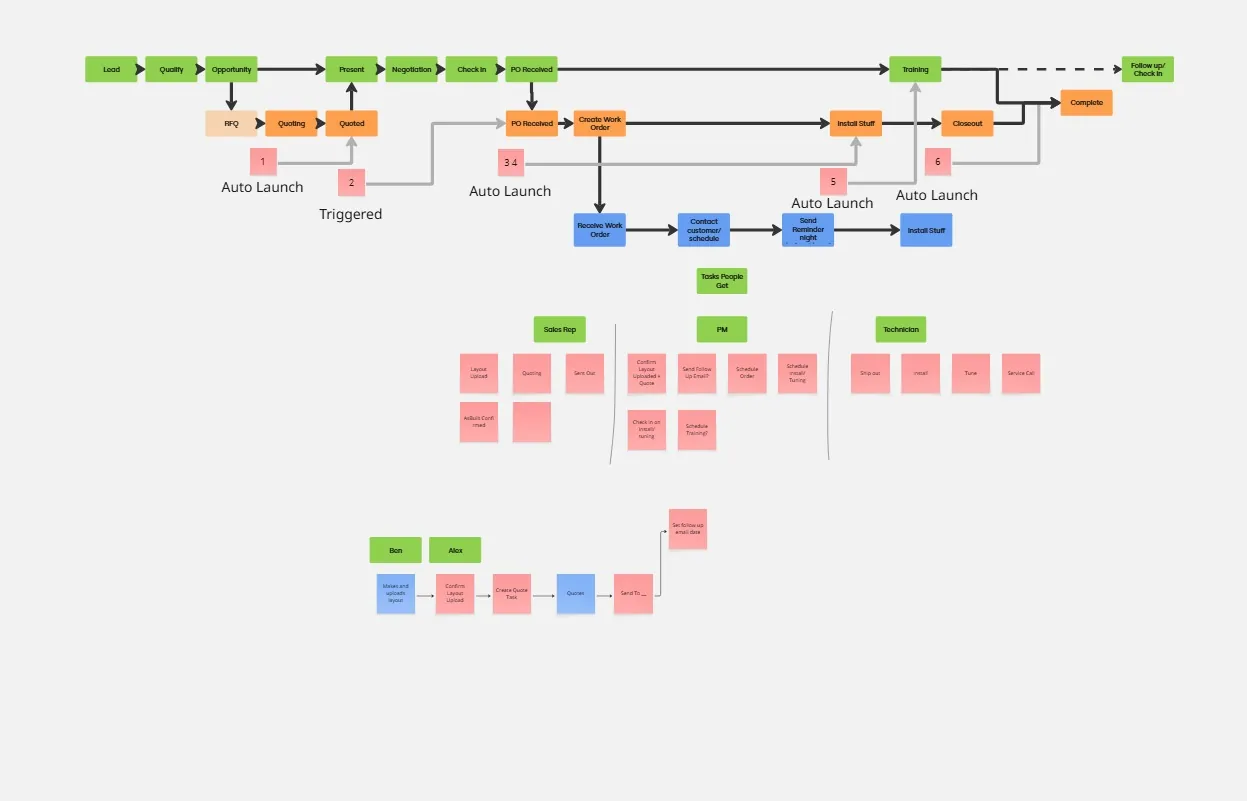
I broke down RH Contract's services into repeatable user journey maps for each stakeholder between Sales, Project Management, Installation, Executives, and Accounting. These templates defined capabilities required at each step of their respective processes.
By mapping their work as user journeys, I could highlight moments where automation, redistributing responsibilities, better UX, or data accessibility would have the greatest impact. I created tailored experiences for:
- Lead management and conversion to opportunities
- Customizing Visualforce Item editor, and CSS & HTML for one-click quotations
- Kanban-based project status tracking
- Field installer basic access and update submission portal
- Executive dashboards and analytics
- Integration with QuickBooks for accounting
This approach ensured Salesforce could efficiently be augmented to improve the team's existing workflow, making the benefits obvious and adoption easier.
Architecture & Development
The technical implementation included:
67
Custom objects, incl. 9 custom metadata types and junction objects for project scalability
400+
Custom fields with validation rules providing a holistic project snapshot
80+
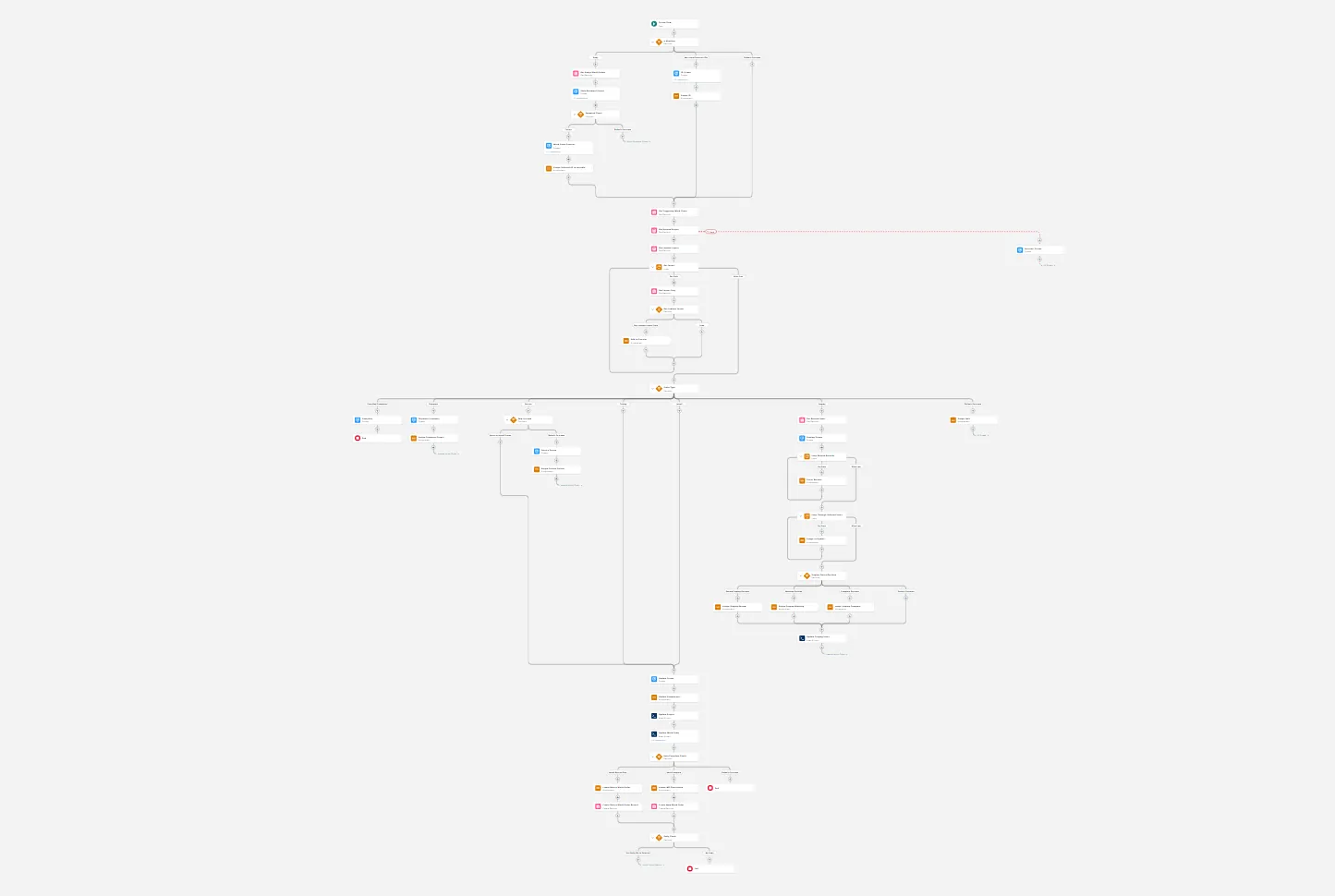
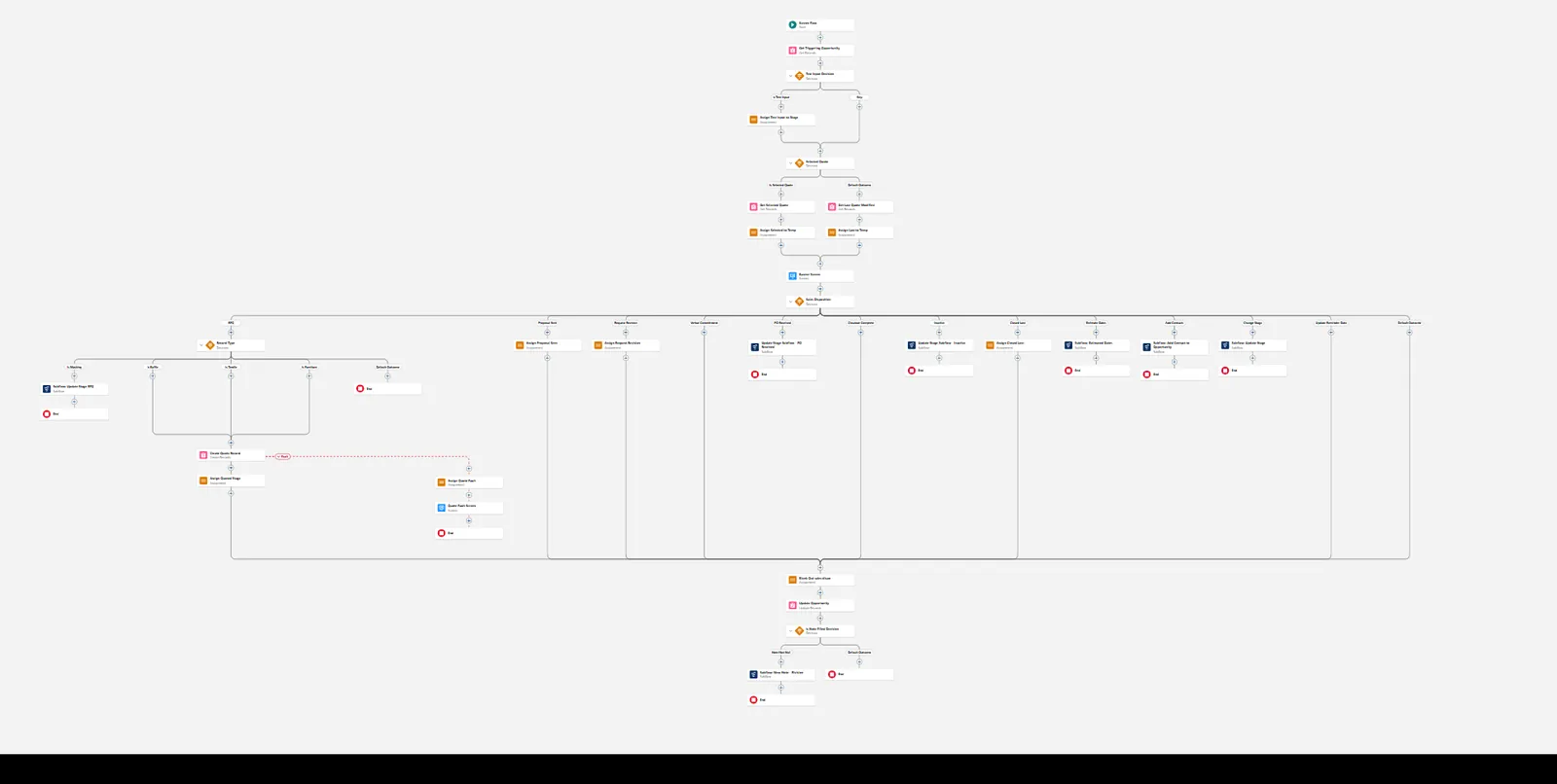
Flows to automate complex multi-stage processes
∞
Custom Visualforce pages, multiple profiles & layouts, Experience Cloud
Each element was informed by user research and real-world use cases. By leveraging Salesforce's screen flow capabilities and declarative tools, I delivered a solution that required minimal training while significantly improving speed and consistency.
Wireframes & UX Design
While system architecture was the core, user experience was crucial to ensure adoption. I wireframed and prototyped key interfaces using low-fidelity sketches and then built custom layouts directly in Salesforce.
Key focuses included:
- Logical page layouts per role
- Reduced visual clutter
- Consistent information hierarchy
- Guided flows with obvious actions
Each iteration involved thorough testing with users, with many versions. Each initial type followed a slightly different design philosophy, with scalability and access of key data being the priority. Iteration allowed me to strike a balance between necessary complexity and ease of use.
Iteration 1
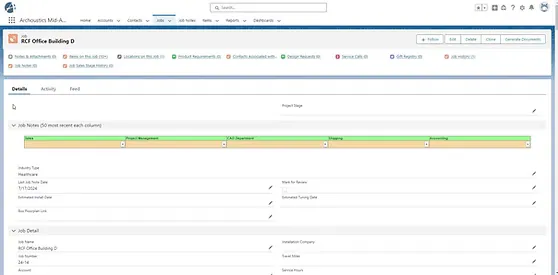
Baseline
The initial detail page layout emphasized an existing custom job notes section. This code was functional in some orgs, but didn't have much flexibility and responsiveness that the new system needed.
Iteration 2
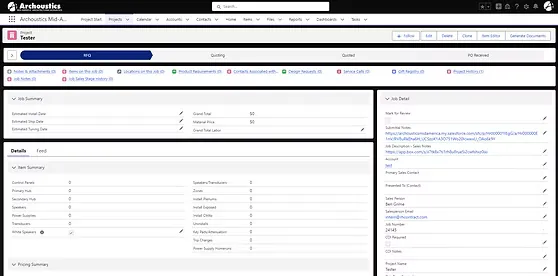
Stages & Kanban
Newer page layout integrating a linear path and workflow stages. Establishing clear nomenclature was important for transparency and adoption. KPIs were prioritized on the page, and the Kanban was implemented for high-volume project management.
Iteration 3
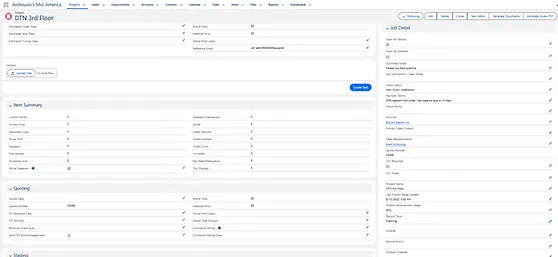
Guided Automation
Implementing flows for easy data and file attachment became the next priority. Having powerful tools that can leverage guided automation allows for quicker and more consistent reporting on projects.
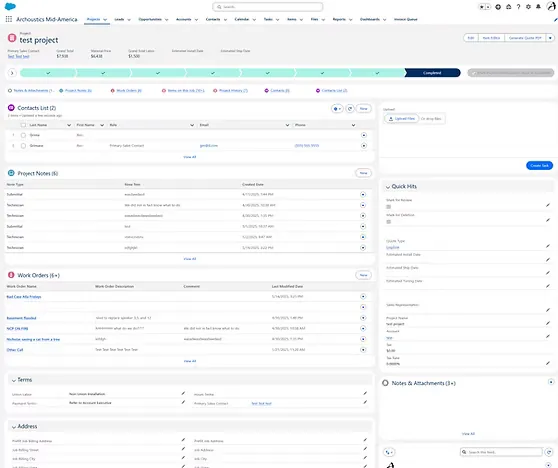
Iteration 4
Scalability & Priority Access
This iteration focused on scalability and accessing priority information quickly. Junction objects allow for scalability in options with variance in quantity. Related lists make detailed, automated, and accessible records much easier to manage.
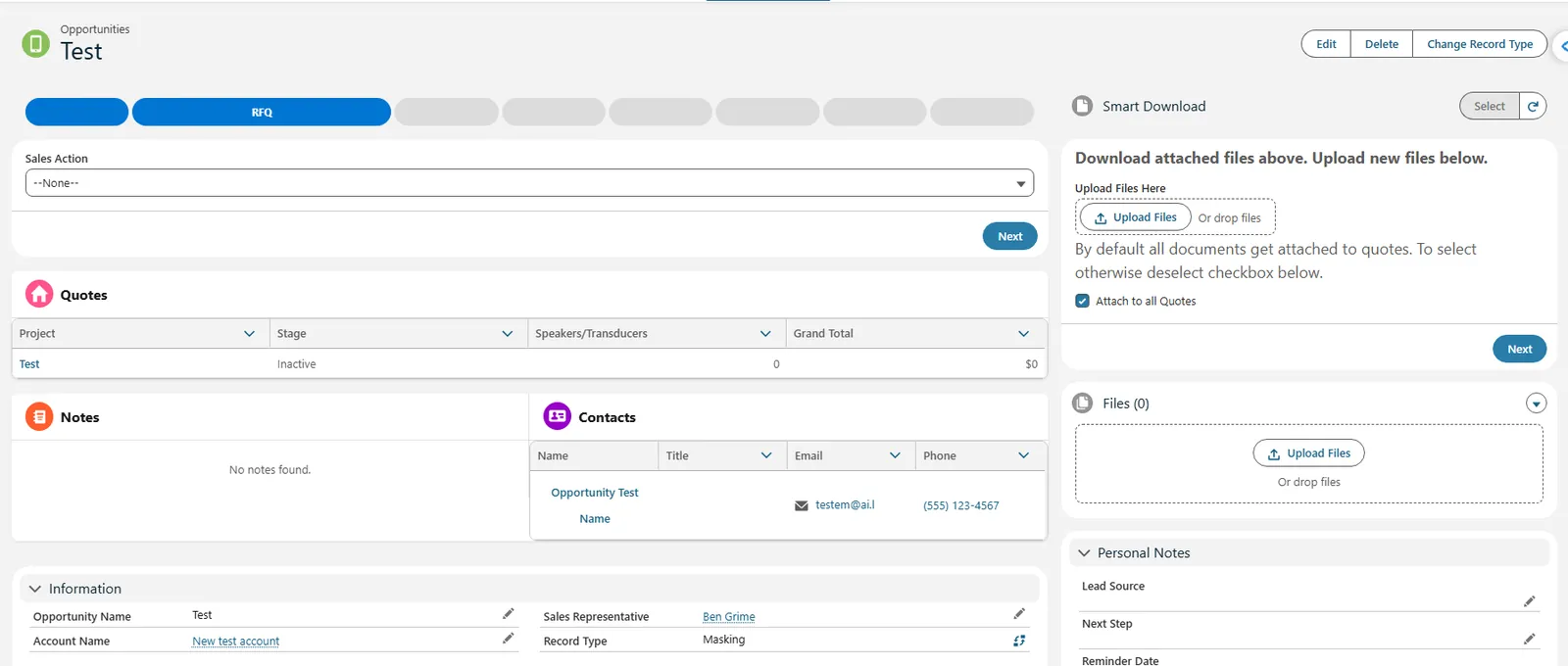
Iteration 5
LWC & Package Integration
The current iteration layers in custom Lightning Web Components and managed packages to augment the experience further: a guided path component for at-a-glance stage tracking, and an integrated file upload/download package so reps and installers can manage documents without leaving the record.
Results & Takeaways
The final system gave RH Contract an interconnected operational platform that unified CRM, project management, quoting, field service, and analytics. Key wins included:
- A live, scalable CRM that tracks sales, quoting, project stages, and installation details.
- A dynamic quoting workflow that transformed a previously manual pricing process and dramatically reduced quote turnaround time.
- Real-time dashboards and reports, tailored to executive needs.
- Installer portal that synced directly with project records and asset tracking.
- A 25% increase in quote-to-close conversion, driven by faster and more accurate lead follow-up.
This case reinforced a principle that shapes my work: understand the operating model first, then use technology to remove the friction that matters most. Key takeaways:
Keep it simple.
Working in a complicated development environment, maintaining a clear focus on solving specific problems helped to consistently produce strong results.
Document Everything.
Good architecture should be good for others and involves wearing many hats. Working on ten things at a time, document everything, whether it's planning to-do lists, change logs, or reviews.
Iterate. Iterate. Iterate.
Building a complicated product requires flexibility and constant iteration.